Getting Started
Reference
Guides
How to get an invoice
One-time payment or subscription?
Unfortunately, in Lemon Squeezy, getting an invoice depends on whether you have a subscription (monthly or annually) or made a one-time purchase.
Get invoice for a subscription
Step #1: Open your portal
Go to your portal. Log in with your email address that you used for purchase: https://app.lemonsqueezy.com/my-orders
Open your order (left side)
Step #2: Invoice for subscription
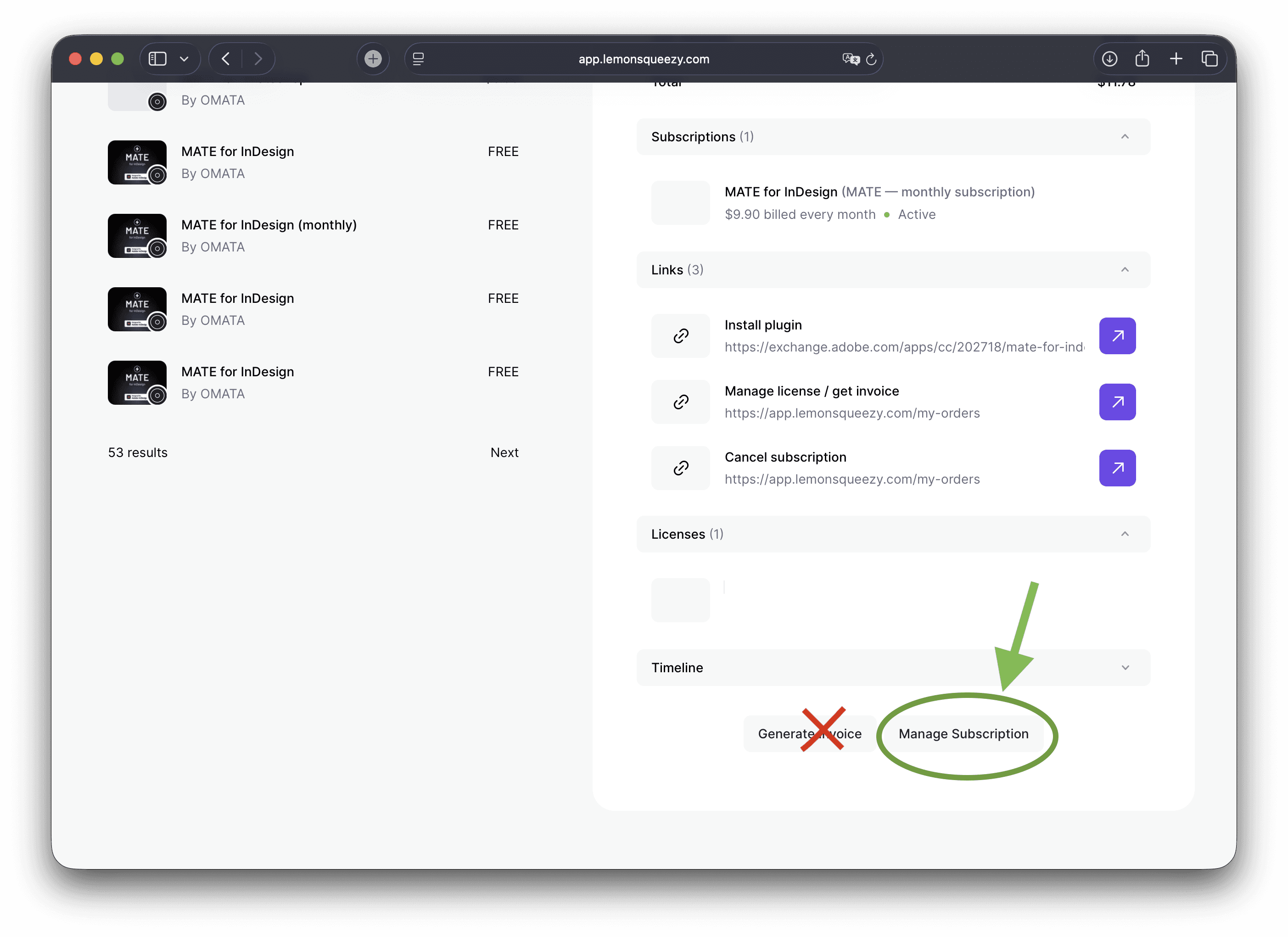
On the right side click on "Manage Subscription".
DON'T click on "Generate Invoice" here!
Step #3: Click on payment item
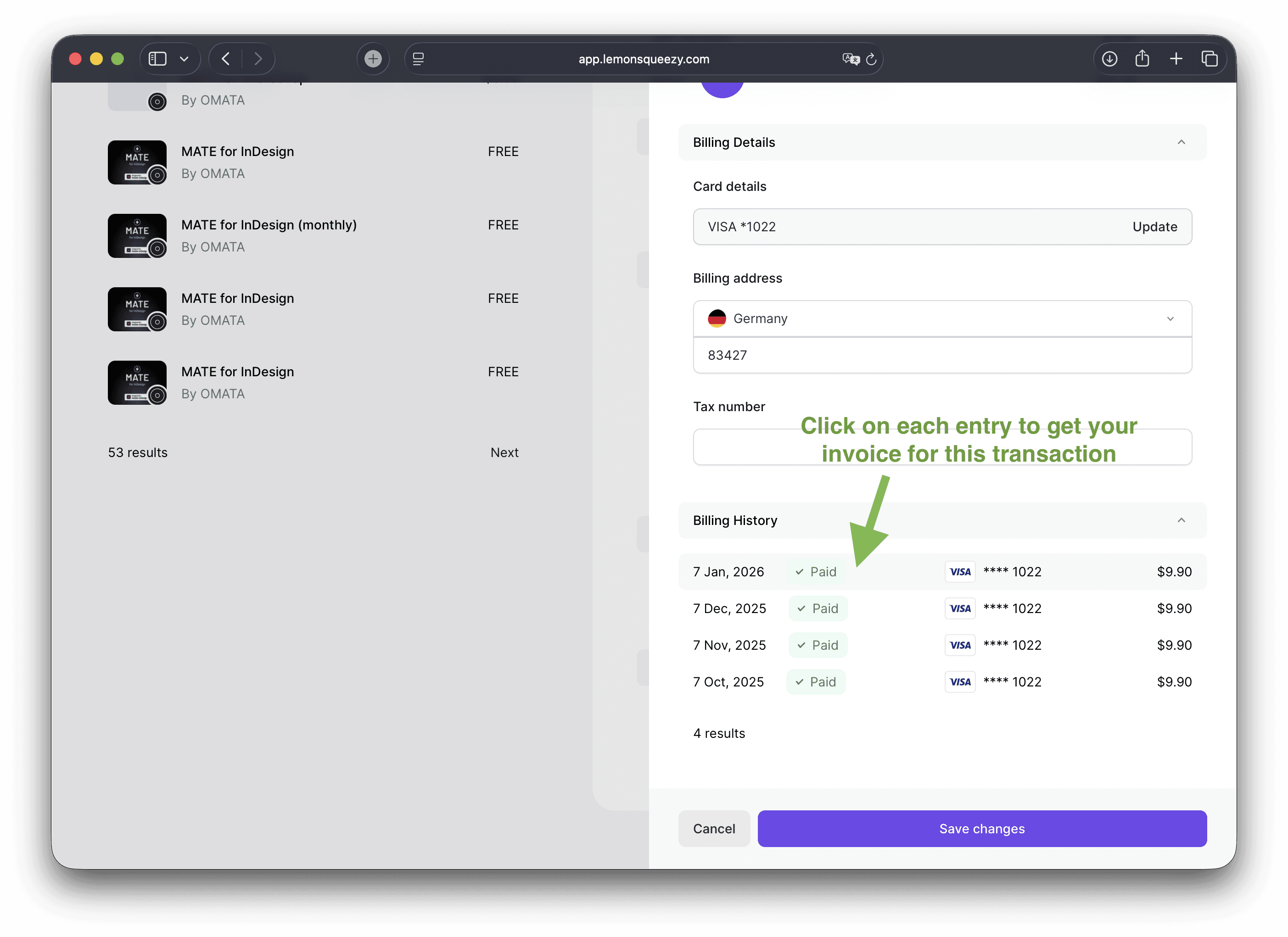
Now click on the row with your payment.
There is no button. Just click the row.
Step #4: Fill out the form and download invoice
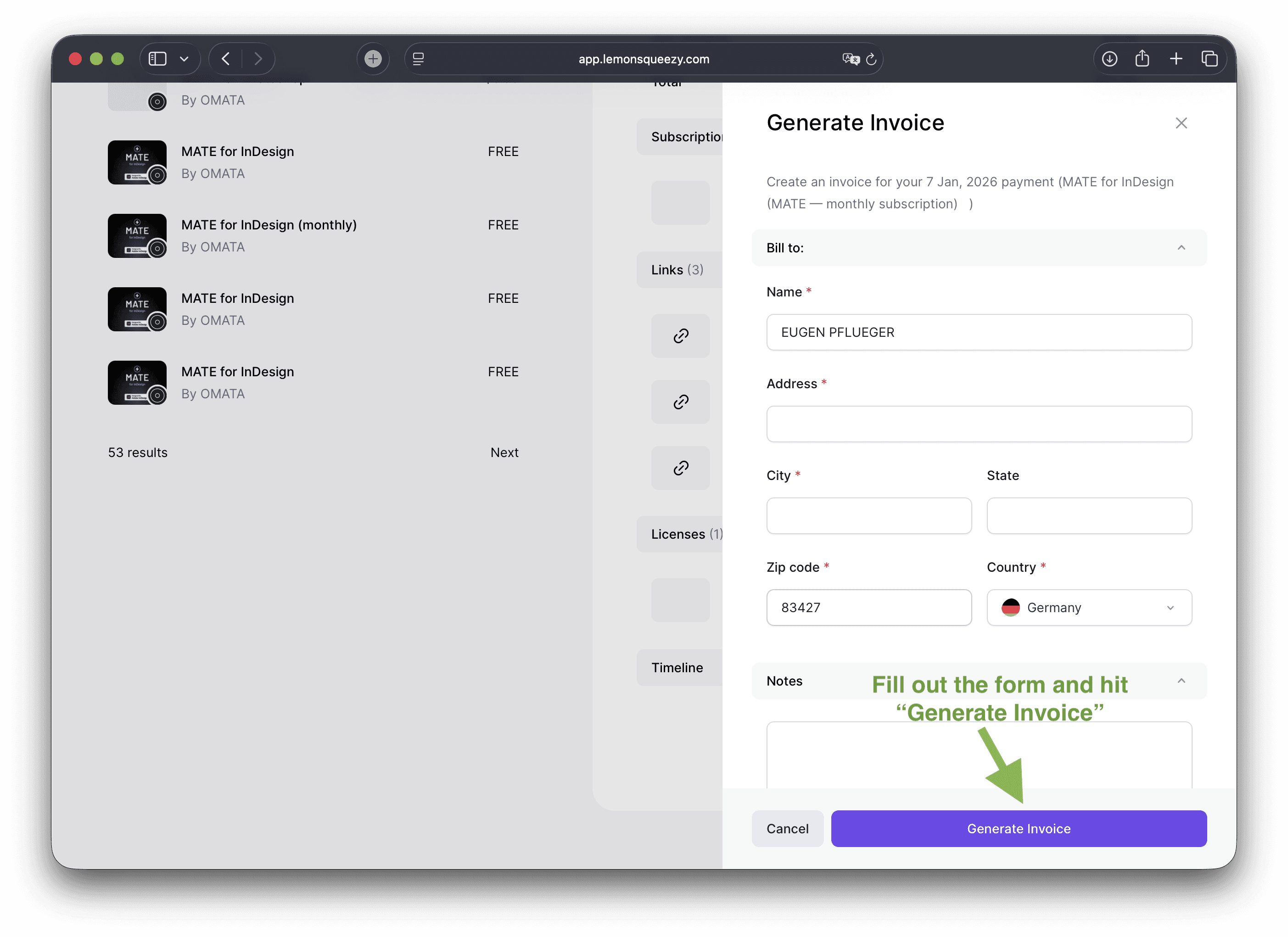
Last step: fill out the form and click on "Generate Invoice".
Get invoice for one-time payment
Step #1: Open your portal
Go to your portal. Log in with your email address that you used for purchase: https://app.lemonsqueezy.com/my-orders
Open your order (left side)
Step #2: Generate invoice
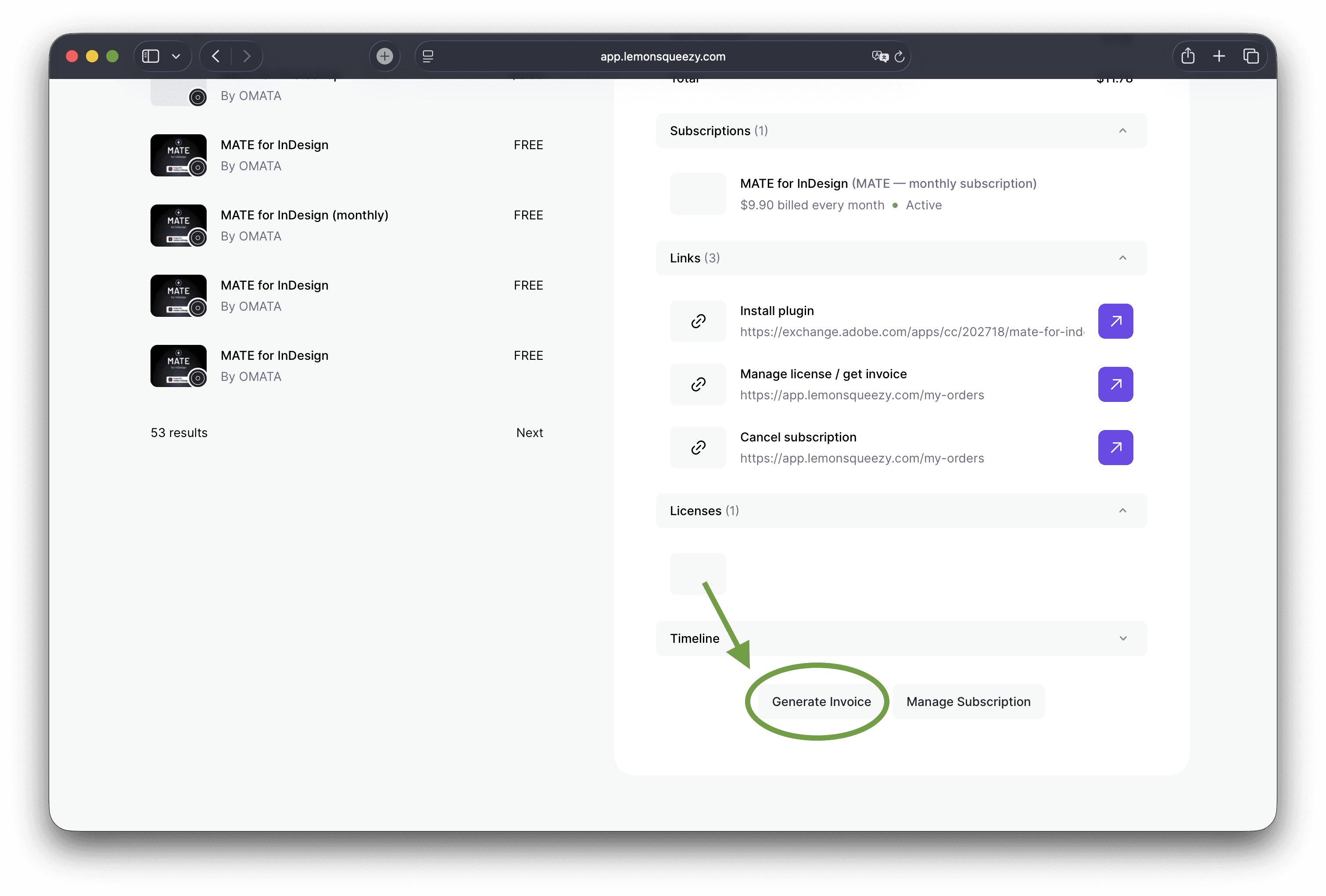
At the bottom on the right side click on "Generate Invoice".
Step #3: Fill out the form and download invoice
Last step: fill out the form and click on "Generate Invoice".