
Quick Intro
MATE for Premiere in 1 minute

What is MATE? MATE works inside Premiere. Describe what should happen in the active project or sequence. It can perform supported operations directly or generate a script you can inspect, edit, save, and run again.
How it works
Three steps from request to finished task.
01
Prompt your task
Describe what you want in plain English. MATE uses the active project, sequence, and selection as context.
02
MATE runs or writes
Agent Mode calls supported Premiere functions directly. Script Mode generates a script and can run it for you.
03
Review and reuse
Check the result. Refine the task, save the script, or run it again later without another AI request.
Two ways to work
Use Agent Mode for direct tasks. Use Script Mode when you want a script you can keep.
Agent Mode
MATE performs supported multi-step tasks inside Premiere. It uses the active project and sequence, calls available functions, and can run the task without showing code.
• Auto-run can be switched off
• Use prompts from your saved library
• Trigger scripts you already use
Script Mode
MATE generates real ExtendScript code you can inspect, edit, save, and share. Import an existing script and ask MATE to repair it or add features.
• Code editor included
• Auto-fix common script errors
• Re-run saved scripts offline
What you actually get
Use the same MATE workflow in Premiere, with direct tasks, reusable scripts, and external tools.
Work from the active project
MATE uses the project, sequence, and selection you are working on as context.
Optional auto-run
Run supported tasks immediately, or switch auto-run off and inspect the script first.
Save and reuse
Build a library of scripts for jobs you repeat. Run saved scripts again without another AI request.
Edit and share
Use the built-in editor, export scripts, and share them with your team.
Import existing scripts
Drop in a Premiere script and ask MATE to explain, repair, or extend it.
Add MCP tools
Connect supported MCP servers for documentation, DAM access, web data, and other external tools.
Extend with MCP
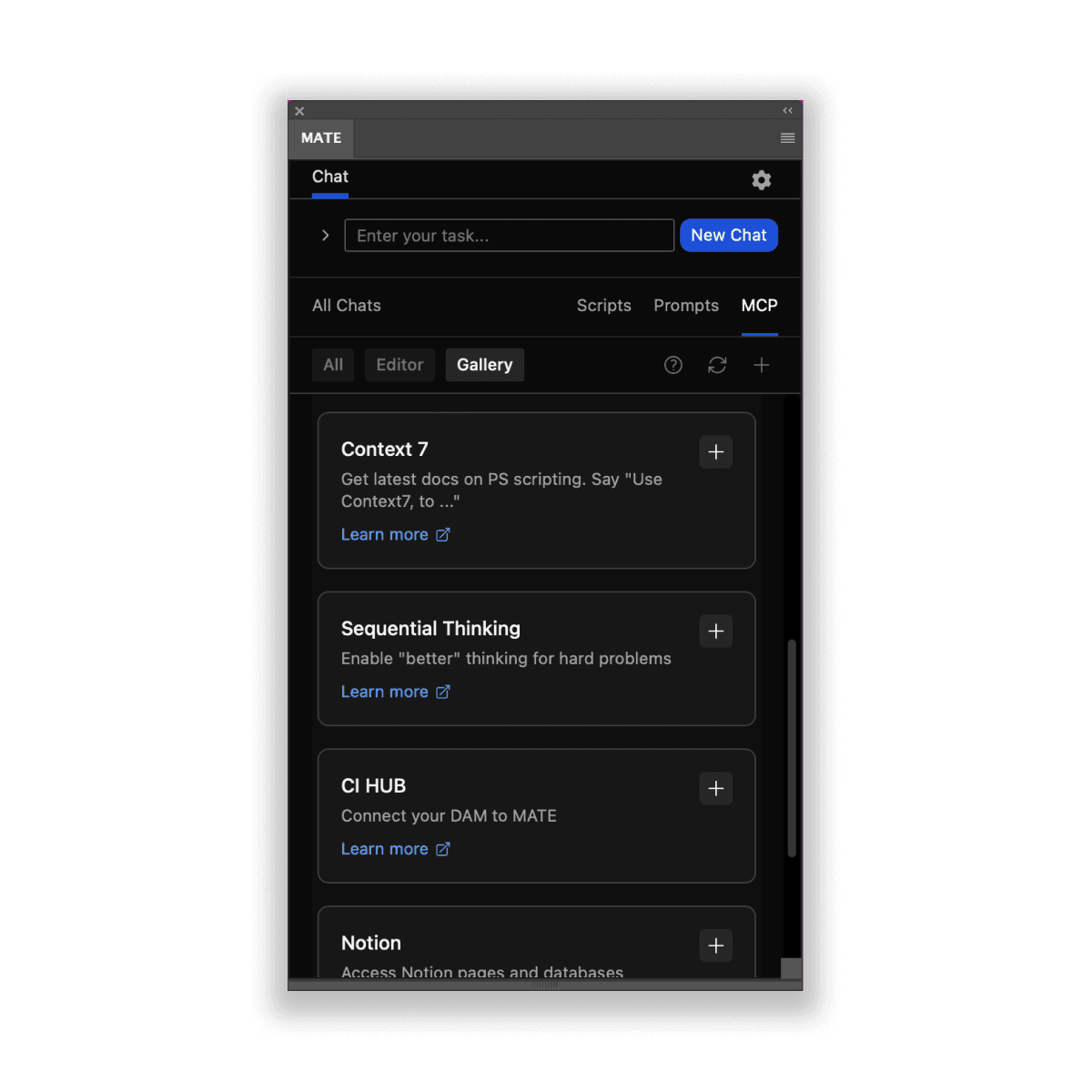
MCP servers are like extensions that add capabilities to MATE. Connect remote MCP servers and use them directly in your chats.
Use Cases
Get inspired by real-world workflows.
Batch Export
Queue multiple sequences with naming rules, destinations, and export presets.
Markers and Metadata
Create, rename, color, or update markers across selected clips and sequences.
Import and Edit Existing Scripts
Drop an existing script into MATE and ask it to explain, repair, or extend it.
Timeline Automation
Automate repeated changes to clips, tracks, markers, and sequence settings exposed by Premiere.
Sequence Versions
Duplicate sequences, apply naming rules, and prepare versions for review or delivery.
Conditional Exports
Queue sequences based on names, labels, or other project conditions.
Build Custom Setups
Create a repeatable multi-step project or timeline setup and turn it into a saved script.
Text Checks
Check exposed text and metadata for spelling or naming issues, then return a report or apply supported corrections.
… and so much more
Learn and connect with MATE users on our Discord channel.
Pricing
7-day free trial + Launch Discount
MATE for Premiere is available on aescripts.com, the trusted platform for After Effects and Premiere tools. Installation, the free trial, and payments are handled through aescripts.com.
Light
US$19.90/month
billed monthly
Unlimited: GPT-5.4-mini and Claude Haiku 4.5
No feature limits
Agent Mode & Script Mode
Save & use scripts offline
With your own API keys: GPT-5.6, Claude Opus 5 & Sonnet 5, Gemini 3.6 Flash, Mistral 3 Large
Popular - get 2 mo for free
US$199/year
billed annually
Unlimited: GPT-5.4-mini and Claude Haiku 4.5
No feature limits
Agent Mode & Script Mode
Save & use scripts offline
With your own API keys: GPT-5.6, Claude Opus 5 & Sonnet 5, Gemini 3.6 Flash, Mistral 3 Large
Prices in US Dollars. Local taxes may apply. Payments & licensing processed via aescripts.com / Terms & Conditions. Got questions on licensing and purchasing, please contact us: support@omata.io
FAQs
Everything you want to know.
What can MATE do in Premiere?
MATE can automate timelines, clips, tracks, markers, metadata, exports, and other Premiere workflows. Use Agent Mode for direct actions or Script Mode to generate, review, edit, and reuse scripts.
Where do I find MATE after installation?
After installation, open Premiere’s main menu and choose Window > Extensions > MATE. If MATE does not appear there, restart Premiere and make sure the extension is enabled.
How does the free trial work?
MATE for Premiere includes a 7-day free trial through aescripts.com. Installation, the trial, licensing, and payments are handled by aescripts.com.
Can I see and edit scripts?
Yes. In Script Mode you can inspect and edit generated scripts, save them, and run them again later. You can also import an existing script and ask MATE to explain or modify it.
Which models are included for free?
GPT-5.4-mini and Claude Haiku 4.5 are included with the monthly and yearly plans and can be used without your own API key. Higher-tier models require your own API keys.
Which models can I use with my own API keys?
With your own API keys, you can use GPT-5.6 models, Claude Opus 5 and Sonnet 5, Gemini 3.6 Flash, and Mistral 3 Large.
Can MATE automate every Premiere feature?
No. MATE can use the Premiere functions exposed for automation, but Adobe does not expose every feature. When a task is not supported directly, MATE can often suggest another workflow.
Where do I get help?
For installation, licensing, or product questions, contact support@omata.io.
Subscribe
Get news straight to your inbox.