“
"I really love MATE! It saved me so much time lately to automate a few boring tasks."
Jean-Claude Tremblay
How it works
1.
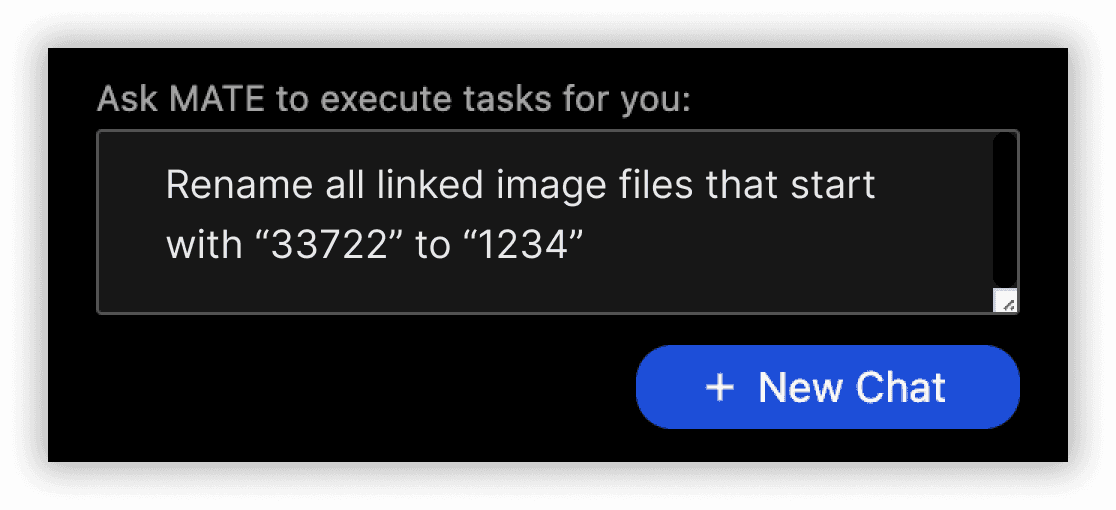
Describe your task.
2.
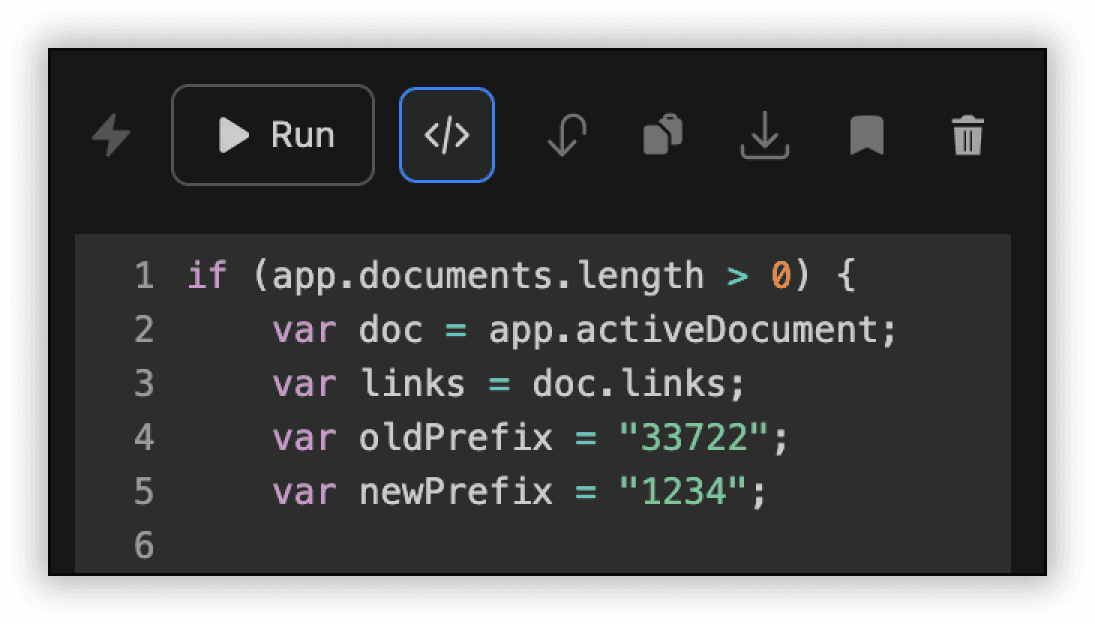
MATE generates a script for your specific task.
3.
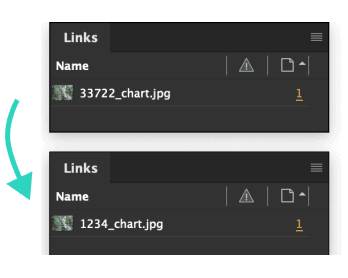
MATE runs the script and executes your task.
MATE works for you.
Just ask for it.
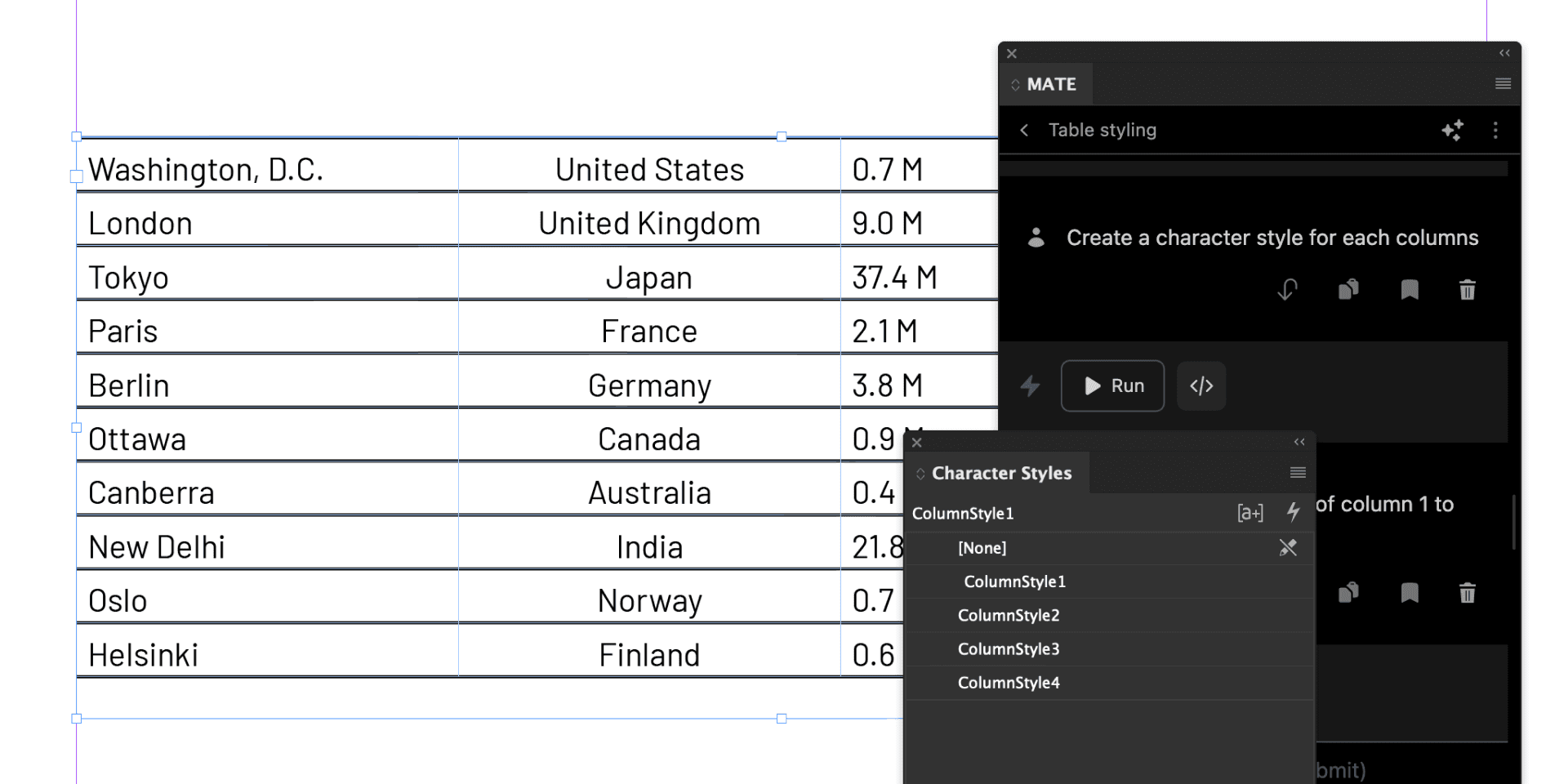
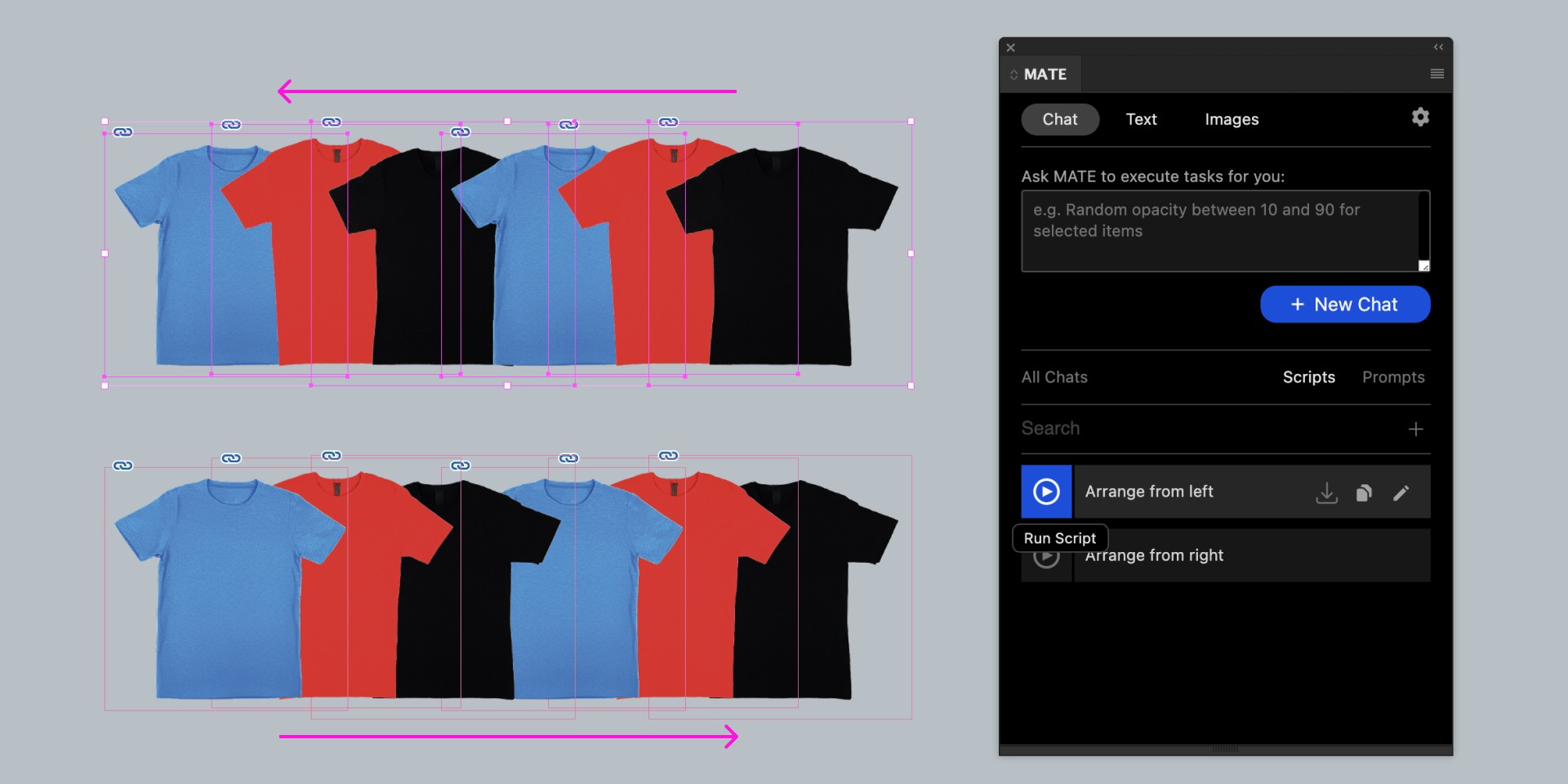
Use natural language to tell MATE what to do, and it gets the job done. Whether it’s styling tables, creating character styles, or formatting content, MATE saves you hours of work.
Create helper scripts with AI. Without leaving InDesign.
Use natural language to generate scripts, save them for reuse, and over time craft a library of powerful tools tailored to your workflow.
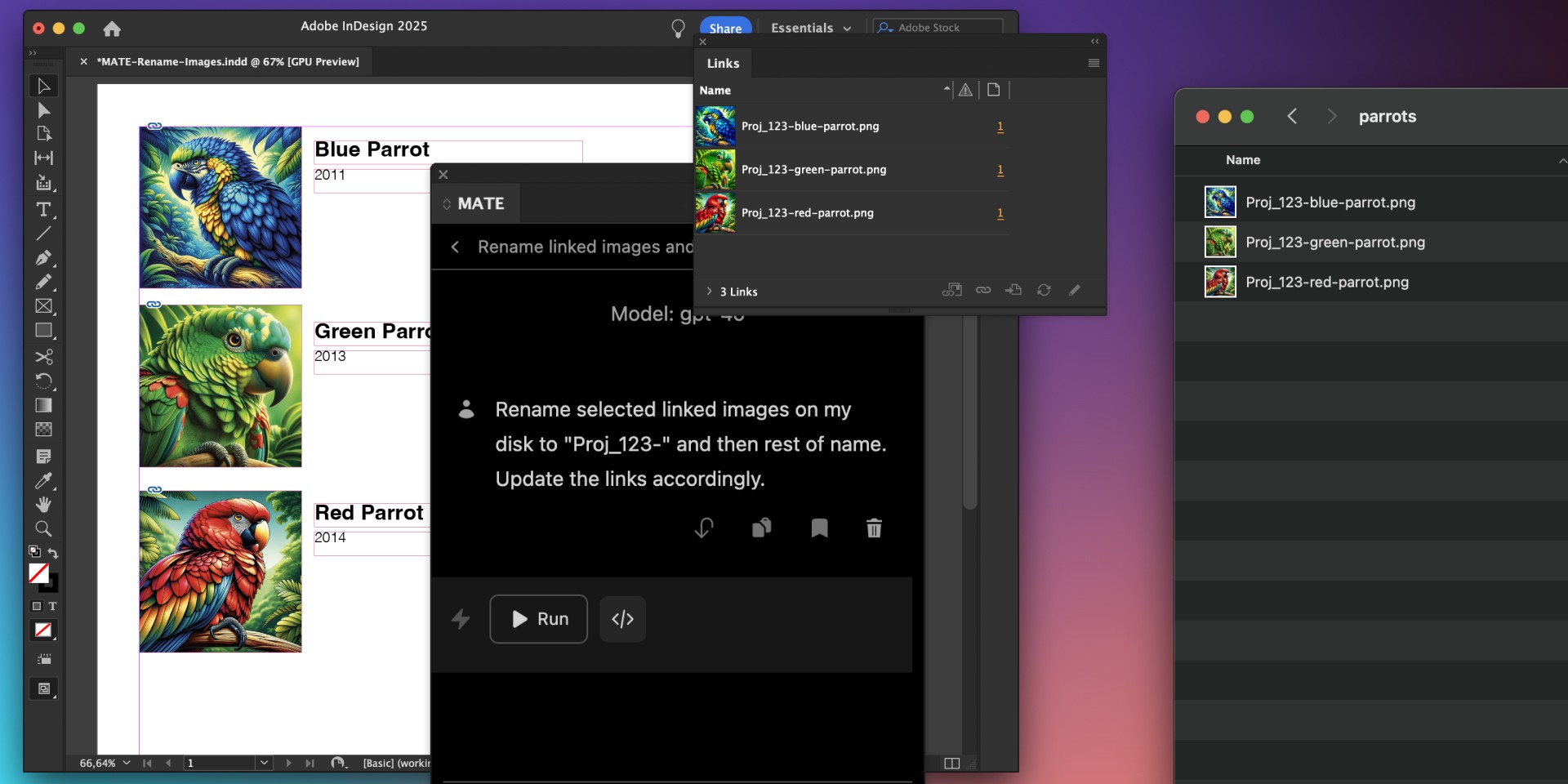
Get more done with file access
MATE lets you rename linked files on your disk and update links in your document. In one go.
All without leaving InDesign. File access is also ideal for exporting automations.
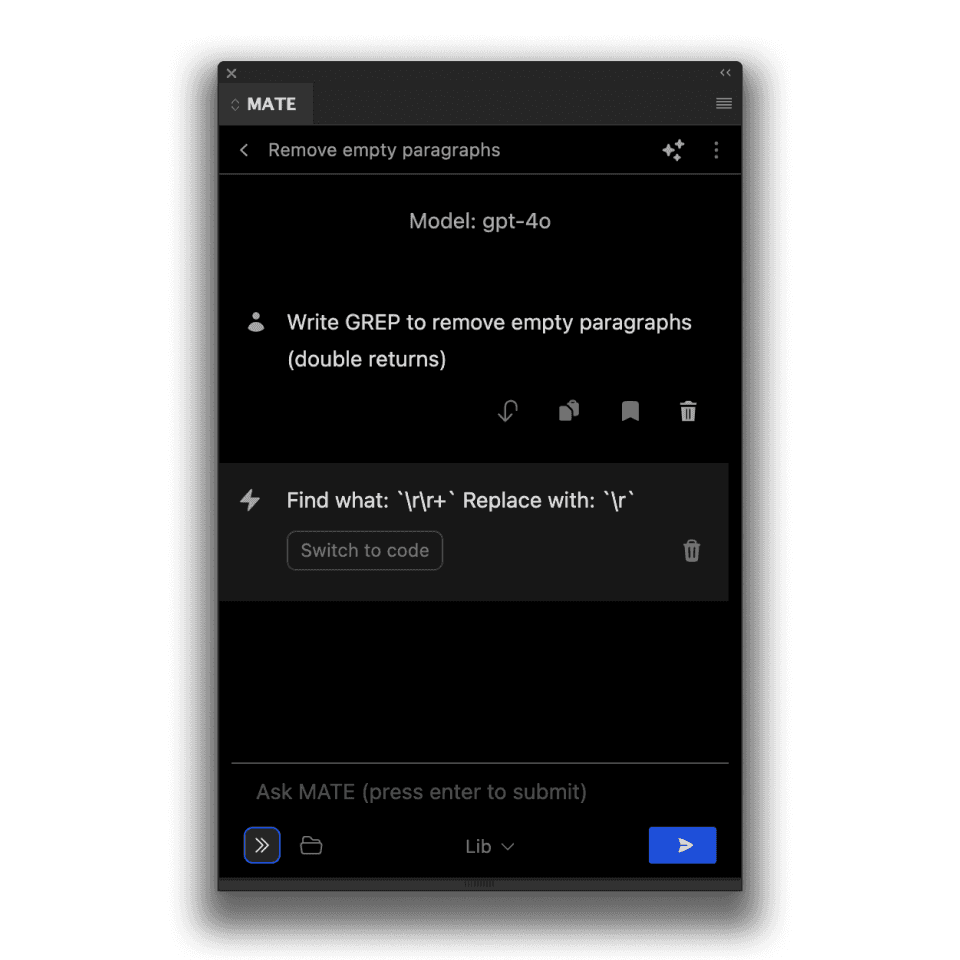
Never struggle with GREP again
No more GREP headaches. From basic tweaks to advanced patterns, MATE knows GREP.
Spell checks and translations
MATE makes spell checking and translating simple. Select your text frame, fix grammar, or translate it into 30 languages — all with one tool.
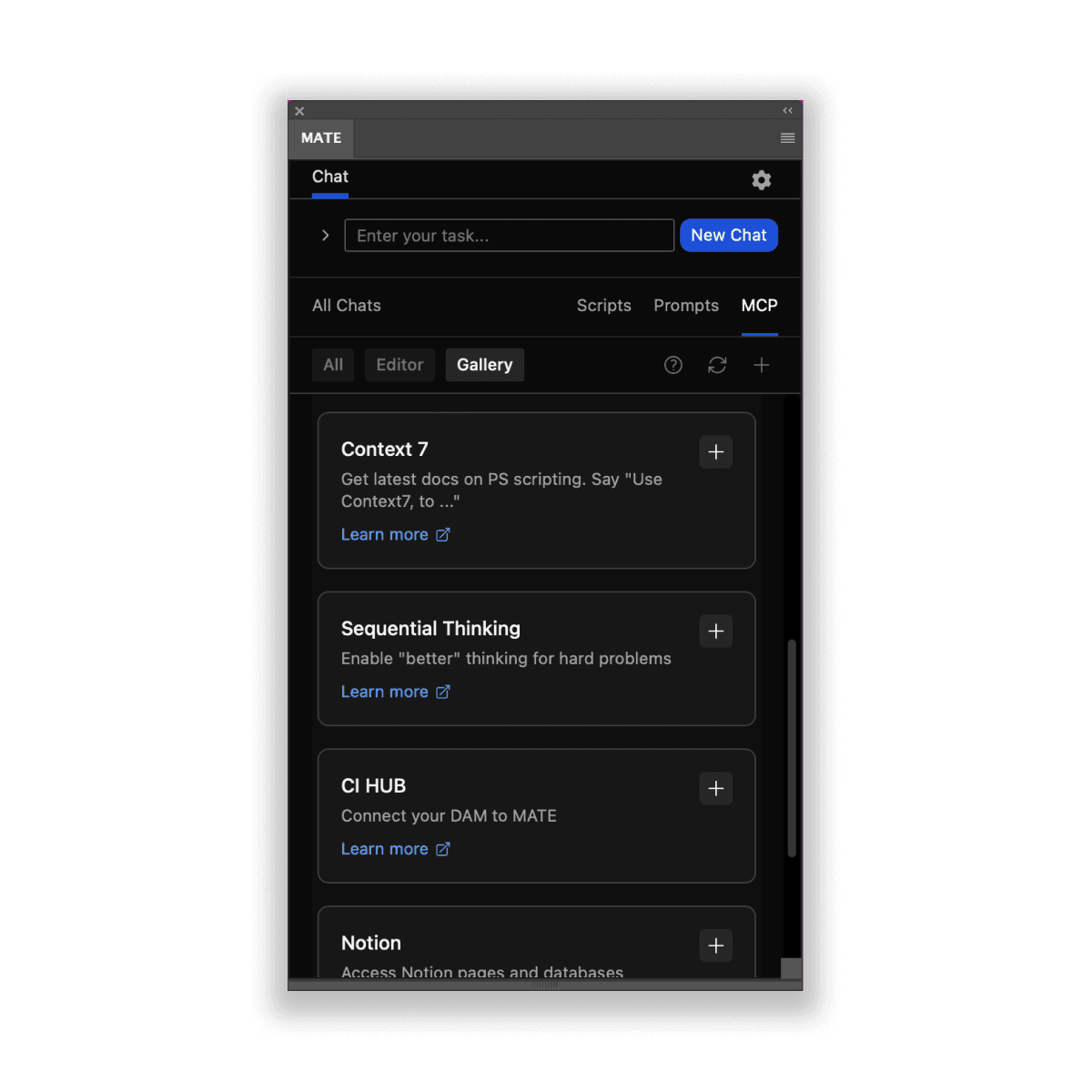
Extend with MCP
MCP servers are like extensions that add capabilities to MATE. Connect remote MCP servers and use them directly in your chats.
Simple Pricing
7-day free trial
Light
US$9.90/month
Billed monthly / cancel anytime
7-day free trial
AI Agent & Scripts
Spell checks & translations
Unlimited usage with GPT-5.4-mini and Claude Haiku 4.5 (good for basic tasks)
Higher-tier models require your own API keys: GPT-5.5, Claude Sonnet 4.6, Claude Opus 4.8, Gemini 3.5 Flash, Mistral 3 Large
Popular - save 2 months
US$99/year
billed annually
7-day free trial
AI Agent & Scripts
Spell checks & translations
Unlimited usage with GPT-5.4-mini and Claude Haiku 4.5 (good for basic tasks)
Higher-tier models require your own API keys: GPT-5.5, Claude Sonnet 4.6, Claude Opus 4.8, Gemini 3.5 Flash, Mistral 3 Large
Bring your own API keys
US$129
One-time payment
Your own API keys required
Supported Models: GPT-5.5, Claude Opus 4.8, Gemini 3.5 Flash, Mistral 3 Large
Team License
Contact us for team options.
Prices in US Dollars. Local taxes may apply. Payments processed via Lemonsqueezy / Terms & Services. Got questions on licensing and purchasing, please contact us: support@omata.io / Guides: Get plugin / Create your OpenAI account.
How does MATE work?
You enter your prompt. MATE uses AI to write a script for your request in the background and executes it right away. This way MATE runs tasks for you.
Where do I find MATE in InDesign after installation?
In Adobe speech MATE is technically an "extension", not a plugin.
You find it here in the main menu: Window > Extensions > MATE
Here is a tutorial how to install it: https://www.omata.io/omata-plugin/docs/install
Which plan is right for me?
Choose monthly for US$9.90/month, yearly for US$99/year (saving two months), or Bring Your Own API Keys for a US$129 one-time payment.
Is there a minimum term, and how does cancellation work?
There is no minimum contract term. You can cancel the monthly plan at any time and continue using MATE for InDesign until the end of your current paid month.
The 7-day free trial converts automatically to a paid subscription when it ends. Cancel before the trial ends if you do not want the subscription to start.
Manage your subscription at app.lemonsqueezy.com/my-orders using the email address you used to purchase MATE.
I get an activation limit error when entering my license key.
Please open this link.
Login with the email address that you used to purchase MATE. Click on your order. On the right click on your license. There are button "Deactivate". Now you can activate your license again.
Your Control Center: https://app.lemonsqueezy.com/my-orders
Can I see/edit the scripts?
Yes, of course. However, you don't have to. You can use MATE without seeing a single line of code.
But, you can open the generated script and edit it manually. It's an editor and lets you change values or paste other code in there.
Who owns the generated scripts, texts, and images?
You own everything you create with MATE.
Do you track/store my prompts or scripts?
No, we don't track prompts. We can't see what you are sending to GPTs servers. (Although, OpenAI may save data. But, they don't know about you. As long as you are not using your own API key, all your requests run through MATE's account.
We only track when the plugin is activated with the GDPR-friendly plausible.io. Tracking is 100% anonymous.
Can I use MATE with my own OpenAI API key?
Yes, you can use it with your own OpenAI API key.
Choose the Bring Your Own API Keys plan shown in Pricing: a US$129 one-time payment.
How do I get an OpenAI API key?
The monthly and yearly plans include access to the standard models. You only need your own API keys for higher-tier models or the Bring Your Own API Keys plan.
Otherwise follow the guide: We have written a quick guide about how to get an API key.
A short summary.
#1
Create an Open AI developer account.
#2
Create an OpenAI API key there.
#3
Add a payment method to your OpenAI account.
While signing up for an account is free, it’s important to know that using ChatGPT API does come with a cost. This depends on your usage. Check your usage balance here.
What are the costs for API usage?
It depends on the model you use and how much you use it.
API usage is billed separately by the provider and depends on the model and how much you use it. Check the provider’s current pricing for exact rates.
Please check the OpenAI pricing page: https://openai.com/pricing
What else?
For any question, contact us: support@omata.io
Subscribe
Get news straight to your inbox.