MATE

MATE

MATE

The first AI Agent inside Adobe Photoshop

The first AI Agent inside Adobe Photoshop

Automate, script, and edit with natural language.

Automate, script, and edit with natural language.

10 prompts/day free · No credit card

Quick Intro

MATE for Photoshop in 1 minute
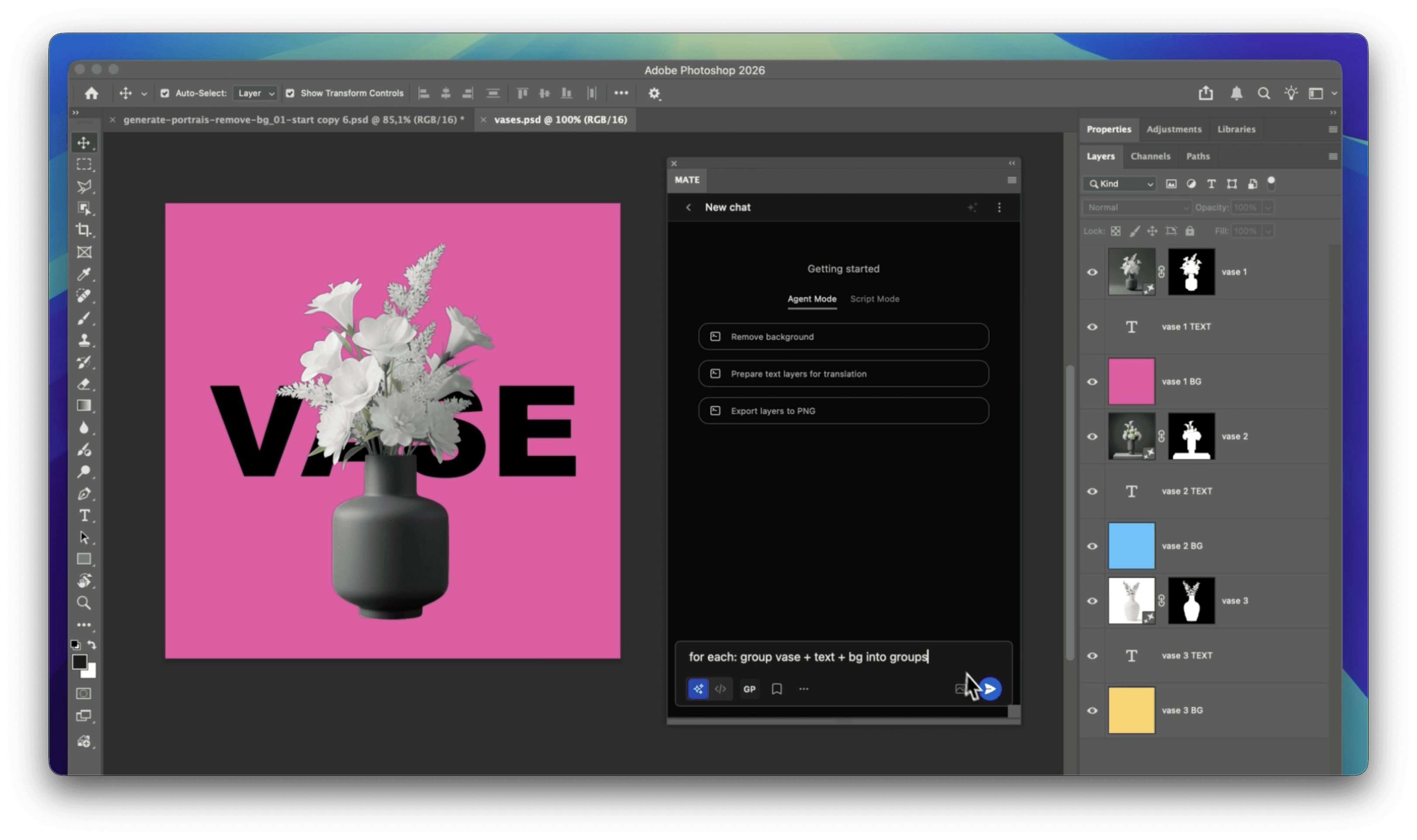
MATE for Photoshop screen with example file

What is MATE? A new way to automate and batch process anything in Photoshop. Tell it “export by language” or “run this Action then this script” and it handles the layer logic, order, and exports. No complex UI, no separate scripting. Just describe what you want.

How?

MATE is a plugin that lives inside Photoshop. It understands your document and executes tasks through two powerful modes.
Agent Mode

MATE performs multi-step tasks autonomously. It reads your document, calls Photoshop functions directly, and executes complex workflows (no script needed).

Batch remove backgrounds

Organize layers intelligently

Translate text layers

Trigger Photoshop Actions & saved scripts

Export variations to several locations

Script Mode

MATE generates real ExtendScript code you can save, edit, and reuse. Perfect for building a personal automation library or sharing scripts with your team.

Generate custom scripts

Auto-fix script errors

Create ScriptUI interfaces

Save, export, share

Import existing scripts

How it works

Three simple steps to automate any task.
1.

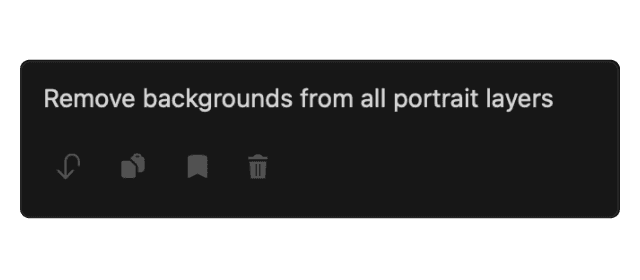
Prompt your task

Tell MATE what you want to do in plain English. No coding required.
2.

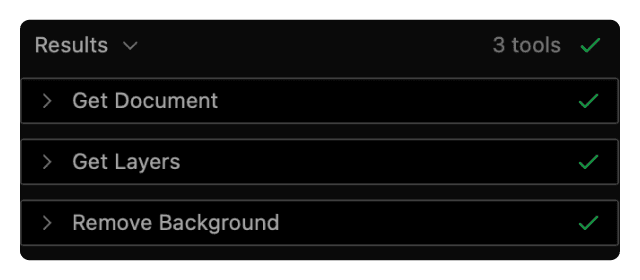
MATE generates & executes

MATE understands your document, calls functions or generates a script, and runs it automatically.
3.

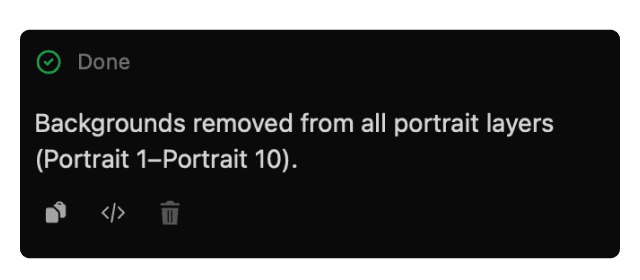
Task Complete.

Review the result, save the script, or give it your next task.

Real Workflows

See what professionals automate with MATE

Agent Mode

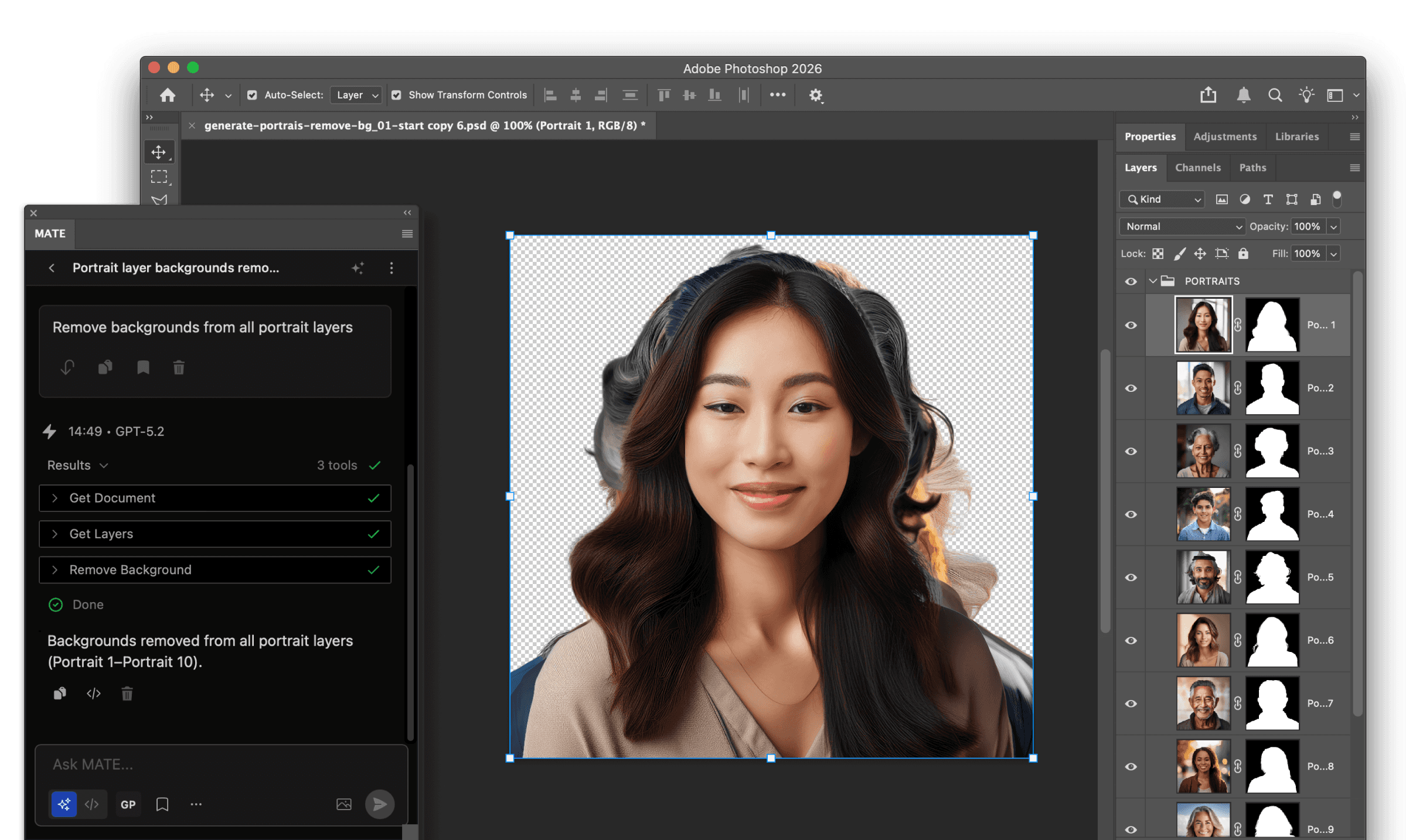
Batch "Remove Background"

Remove backgrounds at scale with Photoshop’s native feature. MATE automates the repetitive steps.

Agent Mode

Organize layers

Describe the structure you want. For example, to prepare translations and create duplicates for each language. MATE performs all steps autonomously.

Script Mode

Build your own tools with Scripts + UI

Let MATE generate a randomizer tool the way you always wanted . Refine it in plain language or edit code directly. Save, export, and share with your team.

Extend with MCP

MCP servers are like extensions that add capabilities to MATE. Connect remote MCP servers and use them directly in your chats.
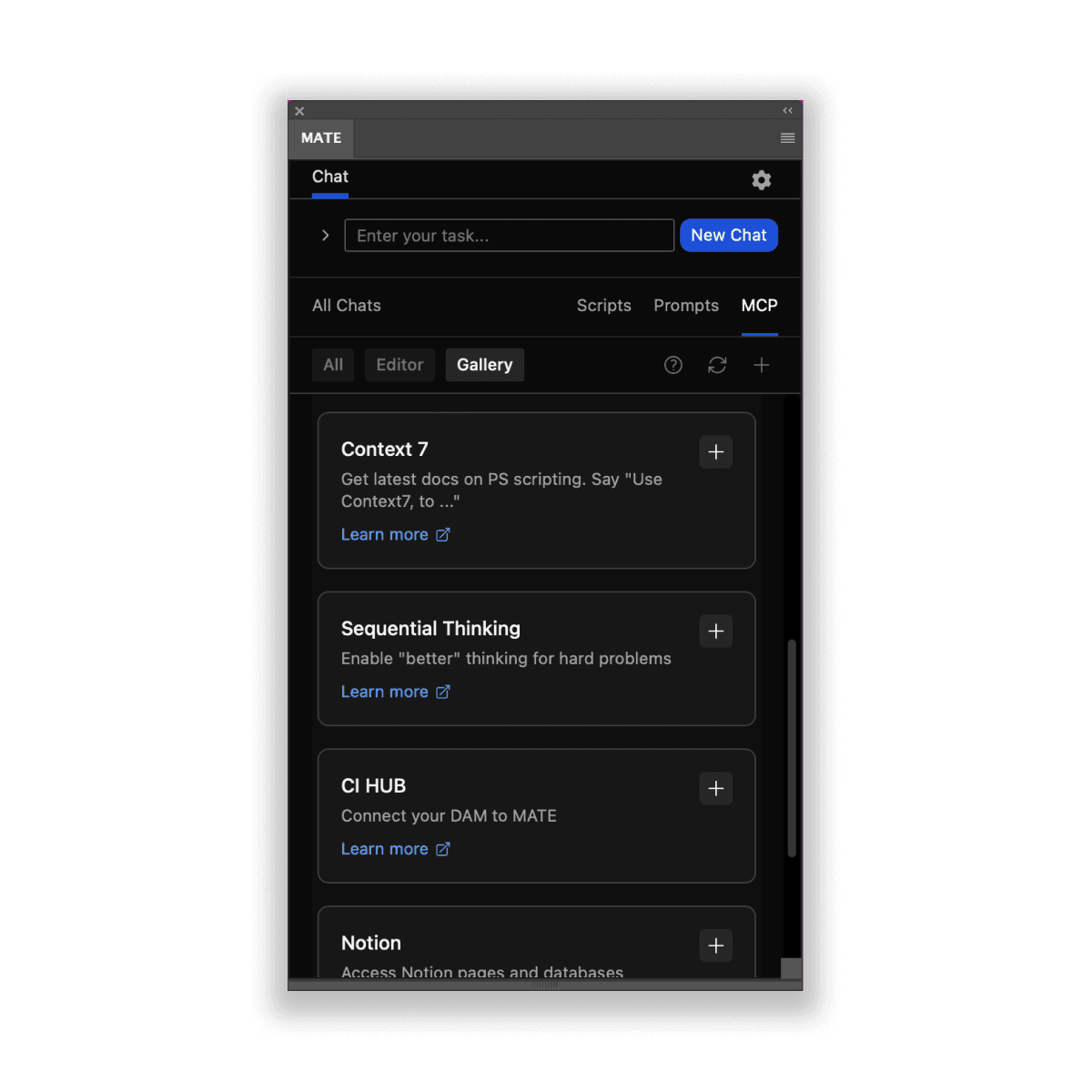
Pre-configured MCP servers:

FireCrawl - scraping data live from any website

Sequential Thinking - enables MATE to think deeper

Context 7 - reading latest docs on Photoshop scripting

Notion - connect to your Notion pages

CI HUB - connect to your DAM

Use Cases

Get inspired by real workflows.
See what Photoshop professionals automate with MATE.

Batch Image Generation

Create a campaign set of images from one topic: generate multiple variants (sizes, layouts, captions) and export them in one go.

Actions + Scripts Orchestration

Combine tasks by triggering Photoshop Actions and saved Scripts in one workflow, with rules for which layers/files they run on.

Watermark

Add watermarks to all layers or selected images. Define position, opacity, and size with words.

Grammar checks

Ask for grammar checks on all text layers. Decide if you want just a report or if MATE should correct them.

Batch Background Removal

Many portraits? Remove backgrounds for all layers and add colored backgrounds in one go.

ALT Text Generation

Create accessibility descriptions for images automatically using AI vision.

Conditional Export

Export layers based on naming conventions, visibility, or custom conditions you describe.

Import & edit existing scripts

If you have existing scripts import them (drop into MATE) and ask to change, adjust and add new features.

Multi-language Translation

Copy text layers, add language prefixes, translate, and organize into separate layer groups.

Layer Organization

Reorganize, rename, show/hide layers based on natural language commands.

Automate setups

Describe a multi step layer setup (adjustments, masks, blend modes) and where to apply it, like Curves + Color Balance for “Portrait” or Blur + Vignette for “Background”. Can be turned into a script.

Batch Image Generation

Create a campaign set of images from one topic: generate multiple variants (sizes, layouts, captions) and export them in one go.

Batch Background Removal

Many portraits? Remove backgrounds for all layers and add colored backgrounds in one go.

Multi-language Translation

Copy text layers, add language prefixes, translate, and organize into separate layer groups.

Actions + Scripts Orchestration

Combine tasks by triggering Photoshop Actions and saved Scripts in one workflow, with rules for which layers/files they run on.

ALT Text Generation

Create accessibility descriptions for images automatically using AI vision.

Layer Organization

Reorganize, rename, show/hide layers based on natural language commands.

Watermark

Add watermarks to all layers or selected images. Define position, opacity, and size with words.

Conditional Export

Export layers based on naming conventions, visibility, or custom conditions you describe.

Automate setups

Describe a multi step layer setup (adjustments, masks, blend modes) and where to apply it, like Curves + Color Balance for “Portrait” or Blur + Vignette for “Background”. Can be turned into a script.

Grammar checks

Ask for grammar checks on all text layers. Decide if you want just a report or if MATE should correct them.

Import & edit existing scripts

If you have existing scripts import them (drop into MATE) and ask to change, adjust and add new features.

Batch Image Generation

Create a campaign set of images from one topic: generate multiple variants (sizes, layouts, captions) and export them in one go.

Multi-language Translation

Copy text layers, add language prefixes, translate, and organize into separate layer groups.

ALT Text Generation

Create accessibility descriptions for images automatically using AI vision.

Watermark

Add watermarks to all layers or selected images. Define position, opacity, and size with words.

Automate setups

Describe a multi step layer setup (adjustments, masks, blend modes) and where to apply it, like Curves + Color Balance for “Portrait” or Blur + Vignette for “Background”. Can be turned into a script.

Import & edit existing scripts

If you have existing scripts import them (drop into MATE) and ask to change, adjust and add new features.

Batch Background Removal

Many portraits? Remove backgrounds for all layers and add colored backgrounds in one go.

Actions + Scripts Orchestration

Combine tasks by triggering Photoshop Actions and saved Scripts in one workflow, with rules for which layers/files they run on.

Layer Organization

Reorganize, rename, show/hide layers based on natural language commands.

Conditional Export

Export layers based on naming conventions, visibility, or custom conditions you describe.

Grammar checks

Ask for grammar checks on all text layers. Decide if you want just a report or if MATE should correct them.

… and so much more

Learn and connect with MATE users on our Discord channel.

Pricing

Start with 10 free prompts/day.
No credit card needed.

Light

US$9.90/month

billed monthly

No feature limits

Unlimited prompts

Agent Mode & Script Mode

Save & use scripts offline

Models: GPT-5.2, Claude 4.5 Sonnet & Haiku, Gemini 2.5 Pro & Flash, Mistral Large

Popular - get 2 mo for free

US$99/year

billed annually

No feature limits

Unlimited prompts

Agent Mode & Script Mode

Save & use scripts offline

Models: GPT-5.2, Claude 4.5 Sonnet & Haiku, Gemini 2.5 Pro & Flash, Mistral Large

FOR A LIMITED TIME ONLY
Lifetime Plan

US$249

Pay once, use forever

No feature limits

Unlimited prompts

Agent Mode & Script Mode

Save & use scripts offline

Models: GPT-5.2, Claude 4.5 Sonnet & Haiku, Gemini 2.5 Pro & Flash, Mistral Large

Bring your own API keys

US$99

One-time payment

Your own API keys required

Models: GPT-5.2, Claude Opus 4.6 (warning, expensive), Gemini 2.5 Pro & Flash, Mistral Large

Team License

Contact us for team options.

Prices in US Dollars. Local taxes may apply. Payments processed via Lemonsqueezy / Terms & Services. Got questions on licensing and purchasing, please contact us: support@omata.io / Guides: Get plugin / Create your OpenAI account.

FAQs

FAQs

Everything you want to know.

Everything you want to know.

How does MATE work?

You enter your prompt. MATE uses AI to write a script for your request in the background and executes it right away. This way MATE runs tasks for you.

How does MATE work?

You enter your prompt. MATE uses AI to write a script for your request in the background and executes it right away. This way MATE runs tasks for you.

How does MATE work?

You enter your prompt. MATE uses AI to write a script for your request in the background and executes it right away. This way MATE runs tasks for you.

Where do I find MATE in InDesign after installation?

In Adobe speech MATE is technically an "extension", not a plugin.

You find it here in the main menu: Window > Extensions > MATE

Here is a tutorial how to install it: https://www.omata.io/omata-plugin/docs/install

Where do I find MATE in InDesign after installation?

In Adobe speech MATE is technically an "extension", not a plugin.

You find it here in the main menu: Window > Extensions > MATE

Here is a tutorial how to install it: https://www.omata.io/omata-plugin/docs/install

Where do I find MATE in InDesign after installation?

In Adobe speech MATE is technically an "extension", not a plugin.

You find it here in the main menu: Window > Extensions > MATE

Here is a tutorial how to install it: https://www.omata.io/omata-plugin/docs/install

How does the trial work?

It's simple. Just get (purchase) a license. You won't get charged until the end of the trial period.

If you like MATE, you don't have to do anything. It just keeps running after the trial.

If you don't like it, you can just cancel from within the plugin (under Settings) or with this link: https://app.lemonsqueezy.com/my-orders.

How does the trial work?

It's simple. Just get (purchase) a license. You won't get charged until the end of the trial period.

If you like MATE, you don't have to do anything. It just keeps running after the trial.

If you don't like it, you can just cancel from within the plugin (under Settings) or with this link: https://app.lemonsqueezy.com/my-orders.

How does the trial work?

It's simple. Just get (purchase) a license. You won't get charged until the end of the trial period.

If you like MATE, you don't have to do anything. It just keeps running after the trial.

If you don't like it, you can just cancel from within the plugin (under Settings) or with this link: https://app.lemonsqueezy.com/my-orders.

How can I cancel (manage) my license?

You can cancel and manage your license keys (e.g. deactivate them for single computers) here: https://app.lemonsqueezy.com/my-orders.

Login with the email address that you used to purchase MATE.

How can I cancel (manage) my license?

You can cancel and manage your license keys (e.g. deactivate them for single computers) here: https://app.lemonsqueezy.com/my-orders.

Login with the email address that you used to purchase MATE.

How can I cancel (manage) my license?

You can cancel and manage your license keys (e.g. deactivate them for single computers) here: https://app.lemonsqueezy.com/my-orders.

Login with the email address that you used to purchase MATE.

I get an activation limit error when entering my license key.

Please open this link.
Login with the email address that you used to purchase MATE. Click on your order. On the right click on your license. There are button "Deactivate". Now you can activate your license again.

Your Control Center: https://app.lemonsqueezy.com/my-orders


I get an activation limit error when entering my license key.

Please open this link.
Login with the email address that you used to purchase MATE. Click on your order. On the right click on your license. There are button "Deactivate". Now you can activate your license again.

Your Control Center: https://app.lemonsqueezy.com/my-orders


I get an activation limit error when entering my license key.

Please open this link.
Login with the email address that you used to purchase MATE. Click on your order. On the right click on your license. There are button "Deactivate". Now you can activate your license again.

Your Control Center: https://app.lemonsqueezy.com/my-orders


Can I see/edit the scripts?

Yes, of course. However, you don't have to. You can use MATE without seeing a single line of code.
But, you can open the generated script and edit it manually. It's an editor and lets you change values or paste other code in there.

Can I see/edit the scripts?

Yes, of course. However, you don't have to. You can use MATE without seeing a single line of code.
But, you can open the generated script and edit it manually. It's an editor and lets you change values or paste other code in there.

Can I see/edit the scripts?

Yes, of course. However, you don't have to. You can use MATE without seeing a single line of code.
But, you can open the generated script and edit it manually. It's an editor and lets you change values or paste other code in there.

Who owns the generated scripts, texts, and images?

You own everything you create with MATE.

Who owns the generated scripts, texts, and images?

You own everything you create with MATE.

Who owns the generated scripts, texts, and images?

You own everything you create with MATE.

Do you track/store my prompts or scripts?

No, we don't track prompts. We can't see what you are sending to GPTs servers. (Although, OpenAI may save data. But, they don't know about you. As long as you are not using your own API key, all your requests run through MATE's account.

We only track when the plugin is activated with the GDPR-friendly plausible.io. Tracking is 100% anonymous.

Do you track/store my prompts or scripts?

No, we don't track prompts. We can't see what you are sending to GPTs servers. (Although, OpenAI may save data. But, they don't know about you. As long as you are not using your own API key, all your requests run through MATE's account.

We only track when the plugin is activated with the GDPR-friendly plausible.io. Tracking is 100% anonymous.

Do you track/store my prompts or scripts?

No, we don't track prompts. We can't see what you are sending to GPTs servers. (Although, OpenAI may save data. But, they don't know about you. As long as you are not using your own API key, all your requests run through MATE's account.

We only track when the plugin is activated with the GDPR-friendly plausible.io. Tracking is 100% anonymous.

Can I use MATE with my own OpenAI API key?

Yes, you can use it with your own OpenAI API key.
You need to buy the "Bring your OpenAI API" one-time payment license for $39.

Can I use MATE with my own OpenAI API key?

Yes, you can use it with your own OpenAI API key.
You need to buy the "Bring your OpenAI API" one-time payment license for $39.

Can I use MATE with my own OpenAI API key?

Yes, you can use it with your own OpenAI API key.
You need to buy the "Bring your OpenAI API" one-time payment license for $39.

How do I get an OpenAI API key?

You don't have to deal with creating your own API key when using our monthly/yearly plans.

Otherwise follow the guide: We have written a quick guide about how to get an API key.

A short summary.
#1
Create an Open AI developer account.

#2
Create an OpenAI API key there.

#3
Add a payment method to your OpenAI account.

While signing up for an account is free, it’s important to know that using ChatGPT API does come with a cost. This depends on your usage. Check your usage balance here.

How do I get an OpenAI API key?

You don't have to deal with creating your own API key when using our monthly/yearly plans.

Otherwise follow the guide: We have written a quick guide about how to get an API key.

A short summary.
#1
Create an Open AI developer account.

#2
Create an OpenAI API key there.

#3
Add a payment method to your OpenAI account.

While signing up for an account is free, it’s important to know that using ChatGPT API does come with a cost. This depends on your usage. Check your usage balance here.

How do I get an OpenAI API key?

You don't have to deal with creating your own API key when using our monthly/yearly plans.

Otherwise follow the guide: We have written a quick guide about how to get an API key.

A short summary.
#1
Create an Open AI developer account.

#2
Create an OpenAI API key there.

#3
Add a payment method to your OpenAI account.

While signing up for an account is free, it’s important to know that using ChatGPT API does come with a cost. This depends on your usage. Check your usage balance here.

What are the costs for API usage?

It depends on the model you use and how much you use it.
Usually it's between 2 - 10$ per month. Maybe less.
Please check the OpenAI pricing page: https://openai.com/pricing

What are the costs for API usage?

It depends on the model you use and how much you use it.
Usually it's between 2 - 10$ per month. Maybe less.
Please check the OpenAI pricing page: https://openai.com/pricing

What are the costs for API usage?

It depends on the model you use and how much you use it.
Usually it's between 2 - 10$ per month. Maybe less.
Please check the OpenAI pricing page: https://openai.com/pricing

What else?

For any question, contact us: support@omata.io

What else?

For any question, contact us: support@omata.io

What else?

For any question, contact us: support@omata.io

Subscribe

Get news straight to your inbox.