Watch how you can simply pull content from Notion into Adobe Express
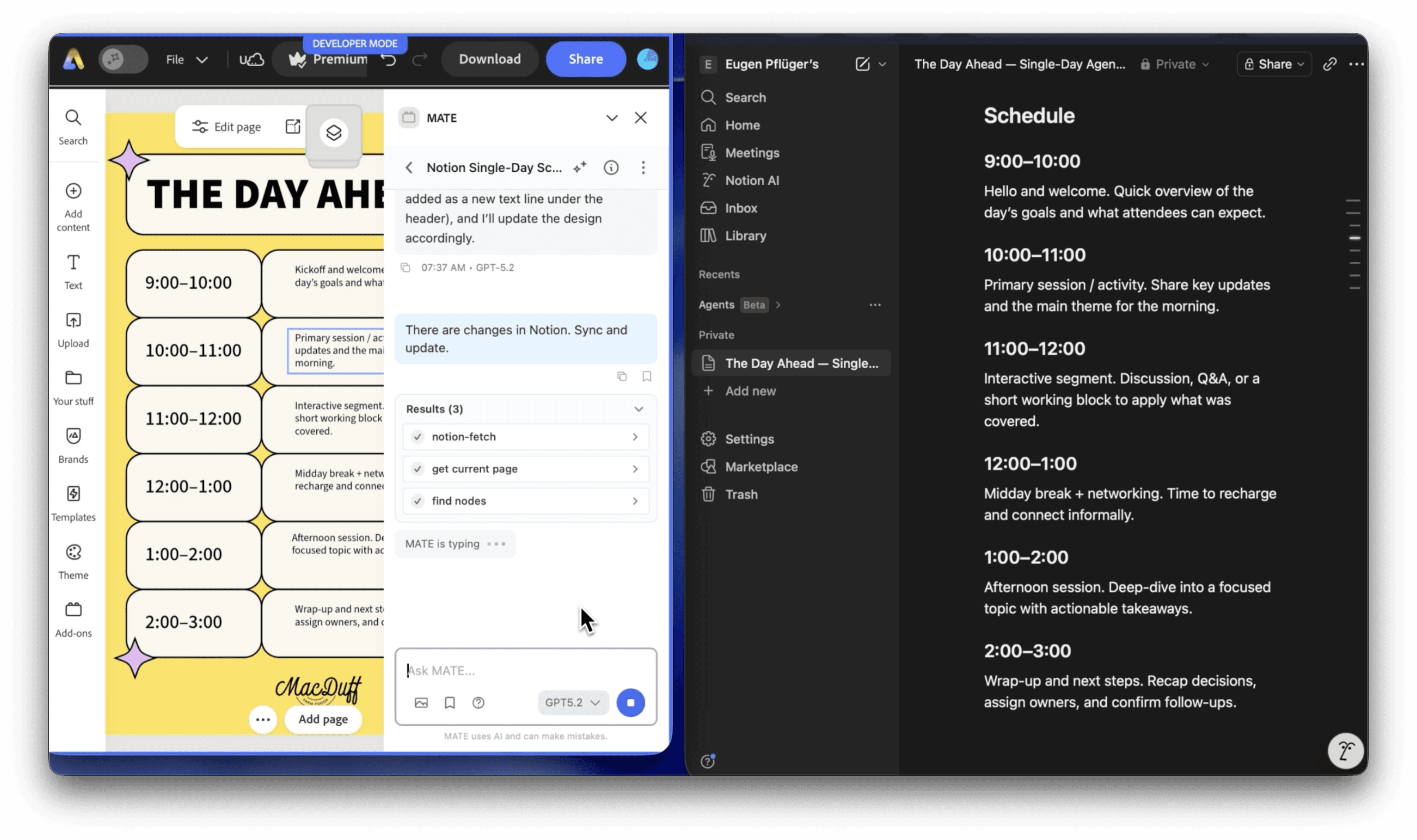
How does MATE work?
You enter your prompt. MATE uses AI to write a script for your request in the background and executes it right away. This way MATE runs tasks for you.
Where do I find MATE in InDesign after installation?
In Adobe speech MATE is technically an "extension", not a plugin.
You find it here in the main menu: Window > Extensions > MATE
Here is a tutorial how to install it: https://www.omata.io/omata-plugin/docs/install
How does the trial work?
It's simple. Just get (purchase) a license. You won't get charged until the end of the trial period.
If you like MATE, you don't have to do anything. It just keeps running after the trial.
If you don't like it, you can just cancel from within the plugin (under Settings) or with this link: https://app.lemonsqueezy.com/my-orders.
How can I cancel (manage) my license?
You can cancel and manage your license keys (e.g. deactivate them for single computers) here: https://app.lemonsqueezy.com/my-orders.
Login with the email address that you used to purchase MATE.
I get an activation limit error when entering my license key.
Please open this link.
Login with the email address that you used to purchase MATE. Click on your order. On the right click on your license. There are button "Deactivate". Now you can activate your license again.
Your Control Center: https://app.lemonsqueezy.com/my-orders
Can I see/edit the scripts?
Yes, of course. However, you don't have to. You can use MATE without seeing a single line of code.
But, you can open the generated script and edit it manually. It's an editor and lets you change values or paste other code in there.
Who owns the generated scripts, texts, and images?
You own everything you create with MATE.
Do you track/store my prompts or scripts?
No, we don't track prompts. We can't see what you are sending to GPTs servers. (Although, OpenAI may save data. But, they don't know about you. As long as you are not using your own API key, all your requests run through MATE's account.
We only track when the plugin is activated with the GDPR-friendly plausible.io. Tracking is 100% anonymous.
Can I use MATE with my own OpenAI API key?
Yes, you can use it with your own OpenAI API key.
You need to buy the "Bring your OpenAI API" one-time payment license for $39.
How do I get an OpenAI API key?
You don't have to deal with creating your own API key when using our monthly/yearly plans.
Otherwise follow the guide: We have written a quick guide about how to get an API key.
A short summary.
#1
Create an Open AI developer account.
#2
Create an OpenAI API key there.
#3
Add a payment method to your OpenAI account.
While signing up for an account is free, it’s important to know that using ChatGPT API does come with a cost. This depends on your usage. Check your usage balance here.
What are the costs for API usage?
It depends on the model you use and how much you use it.
Usually it's between 2 - 10$ per month. Maybe less.
Please check the OpenAI pricing page: https://openai.com/pricing
What else?
For any question, contact us: support@omata.io
Subscribe
Get news straight to your inbox.