
Simple Setup
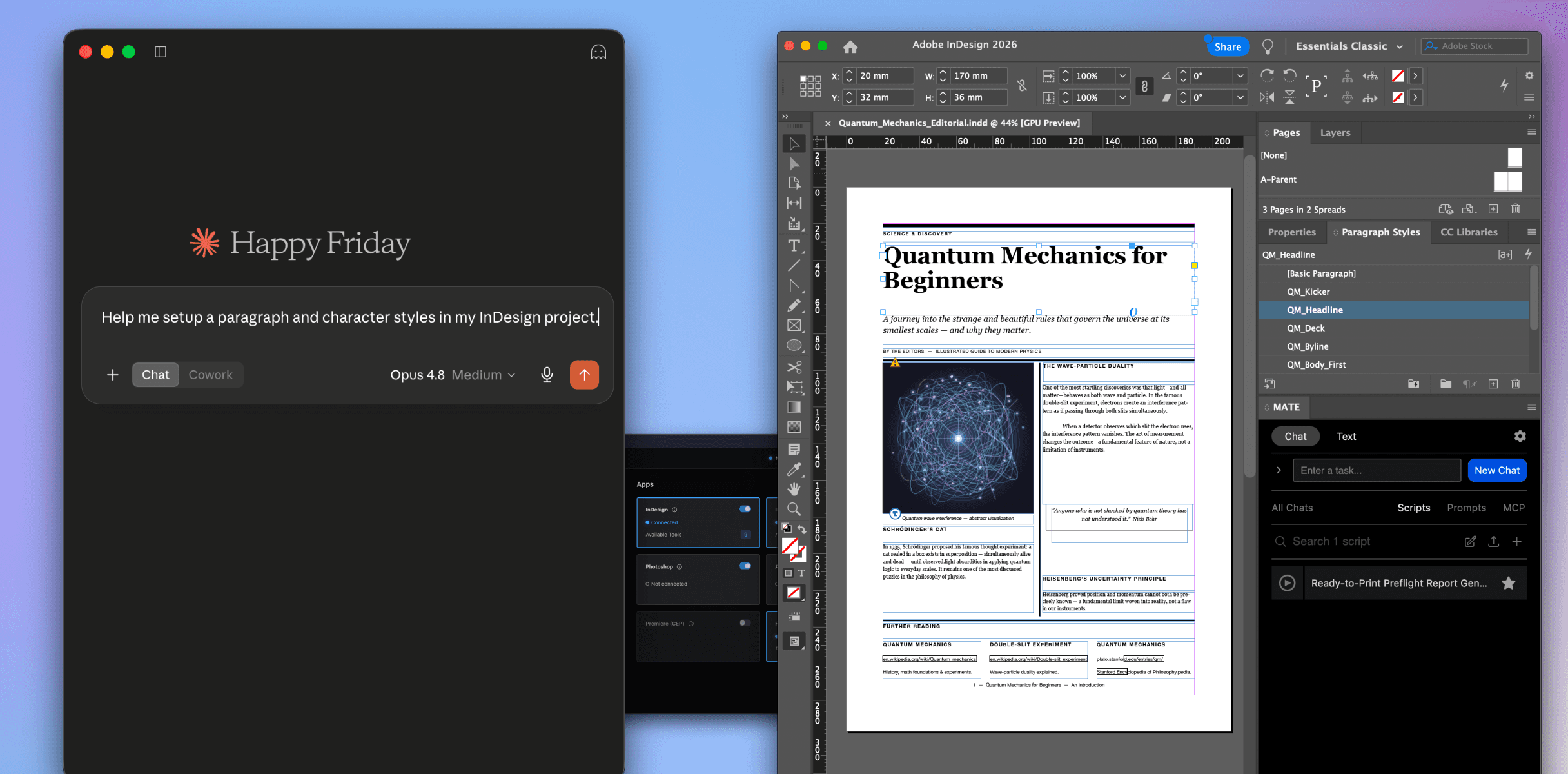
MATE Desktop is the bridge to connect Claude and ChatGPT with your design tool.
1.
Install and activate a MATE plugin in each app you want to use (e.g. InDesign)
3.
Ask Claude (or ChatGPT) to work on your InDesign document, e.g. setup paragraph styles or perform a print check.
Use all the intelligence of Claude/ChatGPT
Resizing, generating scripts, spell checks, placing images, exporting in batches. Let the best AI Agents work in your documents.
Stay in the conversation
You already brainstorm, research and draft in Claude or ChatGPT. Now keep going in the same place and let it work in InDesign, Photoshop and the rest. No switching tools, no copy-pasting from one window to the next.
Everything Claude/ChatGPT brings with it
Skills, web search, file access, and your connectors like Google Drive, Notion and CI HUB. Everything they can do is available to you for your design work.
Pass data between your apps
Claude/ChatGPT has the big picture and operates on all of them. Send a color from Illustrator to InDesign, align copy text in InDesign + Figma, send images from InDesign to Photoshop and back. Your apps finally talk to each other.
Benefit from everything Claude/ChatGPT brings with it
Skills, web search, file access, and your connectors like Google Drive, Notion and CI HUB. Everything they can do is available to you for your design work.
Use your existing Claude and ChatGPT subscription
Use your existing Claude or ChatpGPT subscriptions. No API keys needed. All you need is a (paid) MATE plugin for each host app you want to drive: InDesign, Photoshop, Illustrator, After Effects, Figma.
One bridge.
Every supported app.
Claude and ChatGPT connect to MATE Desktop. MATE Desktop connects them to the creative apps where your MATE plugins are running.
Supported Apps
MATE Desktop connects to a MATE plugin inside your design app. These are currently supported. More coming soon.

MATE for InDesign
Automate layouts, format documents, and script production workflows.

MATE for Illustrator
Automate repetitive tasks, organize layers, and manage artboards.

MATE for Photoshop
Remove backgrounds, generate images in bulk, and automate layer workflows.

MATE for After Effects
Automate compositions, generate Expressions, and script motion workflows.
MATE for Figma
Automate frames and components, organize files, and script repetitive tasks.
Why work with Claude / ChatGPT
Each MATE plugin can still be used. But there are clear benefits of using Claude and ChatGPT directly.
Use your existing subscription
Works with the Claude/ChatGPT plan you already have. No custom API key needed.

Choose your AI Agent
Use Claude, ChatGPT, Antigravity, Cursor, VS Code, and others. You can even use Claude and ChatGPT in parallel.
Latest models, right away
As soon as a new model is available in Claude or ChatGPT, you can use it for your work.
Stay in the chat
You already brainstorm, research and draft in Claude or ChatGPT. Now keep going in the same place and let it work in InDesign, Photoshop and the rest.
Features
MATE Desktop combines the power of AI agents with your MATE plugins, so Claude and ChatGPT can work directly inside your creative apps.
Run your saved scripts
Claude/ChatGPT triggers the scripts and prompts already in your MATE plugins, and stores new ones it writes for you.
Access to Prompt Library
Access to your saved prompts inside MATE. Claude/ChatGPT can read them, call them, store them.
Pass data between your apps
Claude/ChatGPT has the big picture and operates on all of them. Send a color from Illustrator to InDesign, connect InDesign to Figma. Your apps finally talk to each other.
Sees what it did with snapshots
Takes snapshots and checks its own work, so it is never operating blind.
Use Cases
Real workflows across your design apps.
… and so much more
Learn and connect with MATE users on our Discord channel.
Pricing
Get MATE Desktop once, connect to any MATE Plugin.
MacOS only now. Windows version coming soon.
*Requires an active MATE plugin for each host app
7-day money back guarantee
US$49
Pay once, use forever
Works with every app you have a MATE plugin for
Use your own Claude or ChatGPT subscription
Works with Claude, ChatGPT, Antigravity, Cursor, and other AI agents
Free updates for the whole current version
7-day money-back guarantee. You will still need an active MATE license for each host app (InDesign, Photoshop, Illustrator). Big new versions down the road may cost extra.
Prices in US Dollars. Local taxes may apply. Payments processed via Lemonsqueezy / Terms & Services. Got questions on licensing and purchasing, please contact us: support@omata.io / Guides: Get plugin / Create your OpenAI account.
Does MATE Desktop see my files?
No. Your files go straight to Claude or Codex, the tools you already use. MATE is only a local connector on your machine. Nothing of yours passes through a MATE server.
What if Claude makes a mistake in my document?
It works in your open app, so you see every change as it happens and can undo it. Claude also takes snapshots to check its own work. Nothing gets saved or exported unless you say so. But, please, you should always have a backup of your documents.
Do I need an API key?
No. It works with the Claude or ChatGPT subscription you already pay for. A custom API key is optional if you would rather use one.
Which apps does it work with?
Every host app you have a MATE plugin for: InDesign, Photoshop, Illustrator, After Effects and Figma.
Does it only work with Claude?
No. Anything that speaks MCP works, including Codex, Antigravity, Cursor and others.
Do I need to know how to code or script?
No. You describe what you want in plain language. Claude writes and runs the script for you, and you can save it to reuse later.
What does the $49 cover?
The MATE Desktop app, one time payment. You will still need an active MATE license for each host app you want to control.
What if it is not for me?
There is no free trial yet, but you get a 7-day money-back guarantee. Buy it, try it on real work, and if it is not for you, ask for a refund within 7 days.
Will it keep working with new versions of Claude and the Adobe apps?
Yes. It uses the latest models as they ship, and we keep the plugins current with the host apps.
Subscribe
Get news straight to your inbox.
Features
No really, heaps faster.
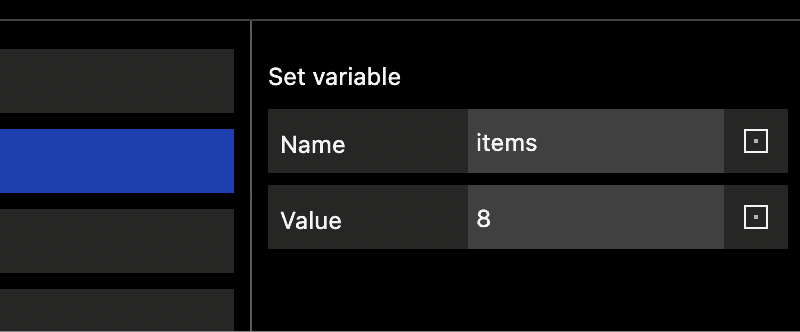
Run your saved scripts
Claude/ChatGPT triggers the scripts and prompts already in your MATE plugins, and stores new ones it writes for you.
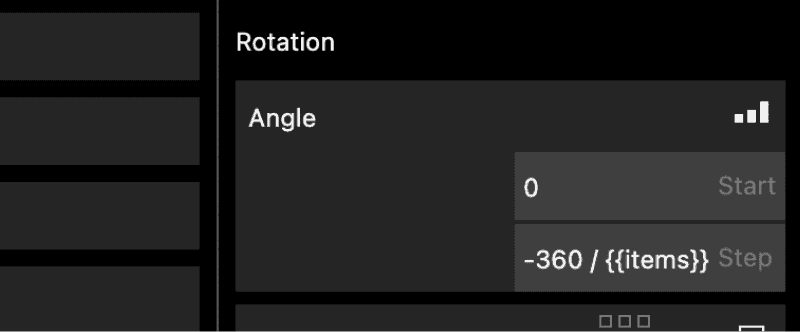
Pass data between your apps
Claude/ChatGPT has the big picture and operates on all of them. Send a color from Illustrator to InDesign, connect InDesign to Figma. Your apps finally talk to each other.
Sees what it did with snapshots
Takes snapshots and checks its own work, so it is never operating blind.
No MATE server involved
Your files go straight to Claude/ChatGPT, the tools you already approved. MATE is just a local connector. No server in the middle.
Use your own subscription
Works with the Claude/ChatGPT plan you already pay for. No API key, no new platform to sign up for.
Works with any AI agent
Use Claude, ChatGPT, Antigravity, Cursor, VS Code, and others. You can even use Claude and ChatGPT in parallel.
Latest models, right away
As soon as a new model is available in Claude or ChatGPT, you can use it for your work.